
Browser tab catalog
Find what matters. Close what does not. Reopen it when you need it.
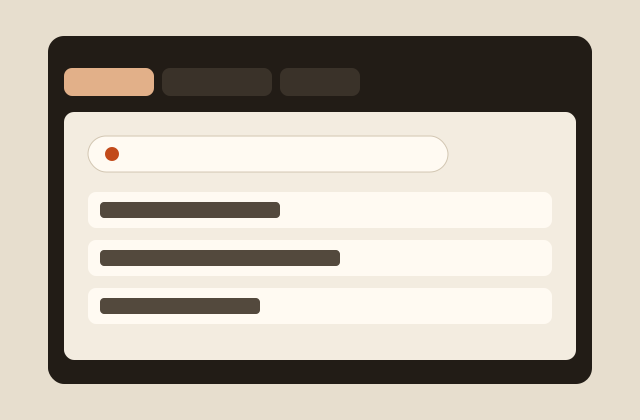
OpenSite catalogs the tabs you already have open so you can find the page you need, close tabs without losing them, and reopen them later — without keeping every window alive indefinitely.
The problem
Tabs pile up because closing them feels like throwing something away.
- Important pages become difficult to find.
- Tabs accumulate because it is easy to lose something you meant to keep.
- Multiple browser windows become difficult to navigate.
- Useful pages stay open only because you may need them later.
The OpenSite approach
Closing a tab should not mean losing it.
- Open the pages you already use.
- Catalog the ones worth keeping.
- Find them again with search.
- Close the live tabs you no longer need on screen.
- Reopen a cataloged page when you need it.
Cross-browser support
OpenSite is being built for the browsers people already use. Support is listed only when the extension is actually available.
- Google Chrome Planned
- Microsoft Edge Planned
- Brave Planned
- Firefox Planned
Safari is not currently part of the OpenSite roadmap.
See OpenSite
Space for a screenshot, short demonstration, or campaign video. Video never autoplays with sound.
OpenSite will be free
OpenSite is intended to be free to use. Kickstarter funding is meant to support development, not to lock the product behind a paywall.
Why OpenSite is different
-
Tab cataloging
Keep a record of useful pages instead of leaving every tab open.
-
Fast search
Find a cataloged page without hunting through windows.
-
Close without losing
Closing a tab does not have to erase the page from your working set.
-
Reopen later
Return to previously cataloged content when you need it again.
-
Cross-browser strategy
The same workflow, aimed at Chrome, Edge, Brave, and Firefox.
-
Lightweight workflow
Catalog, find, close, reopen. No extra process to learn.
Kickstarter
OpenSite is being built in the open with a Kickstarter campaign to fund development, a public timeline, and backer beta access.
- Campaign link and video
- What funding will accomplish
- Development timeline
- Stretch goals
- Backer beta access
Join the OpenSite Beta
Help finish a calmer way to manage a large number of tabs.
Join the OpenSite Beta